Before you roll
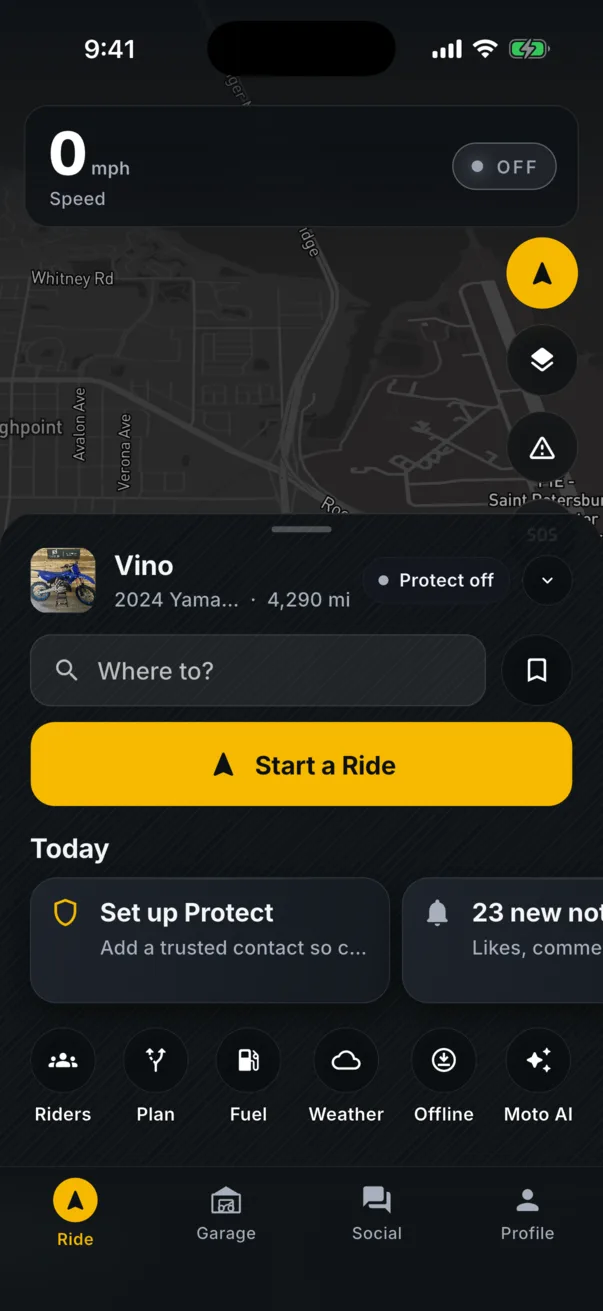
The Ride sheet sits over the map and gets out of the way when you want the whole thing. It shows the bike you are on, whether Protect is armed, a Where To field, and a Today strip: Protect not set up, a service due, an event this week, people waiting on you. Nothing shows unless it is real.
Navigation built for a bike
Turn by turn with the next turn, the posted limit and your speed up top where you can read it at a glance. Routes prefer the road a rider would pick, and you can plan on the web and send the route to the app.
Hazards from riders ahead
Two taps reports police, an accident, road work, debris, gravel or ice with a severity. Every rider behind you on that road hears about it before they get there.
Ride together
Start a group ride, share one code, and everyone is on the map. Live voice runs through the headset you already wear, the leader sets the pace, and the whole group hears the same playlist. When it is over, the ride lands in the feed.
Weather and fuel
Live radar and a plain ride call before you gear up. Fuel on the map, closest first, with the stations riders actually use.